Agent day
Check in, open Sales or Service, see attendance, return to recent work.
CrystalBio is a live mobile workflow used by the client to organize sales, service, attendance, leave, and admin review.
Instead of explaining every screen in paragraphs, this is the simple shape of the product.
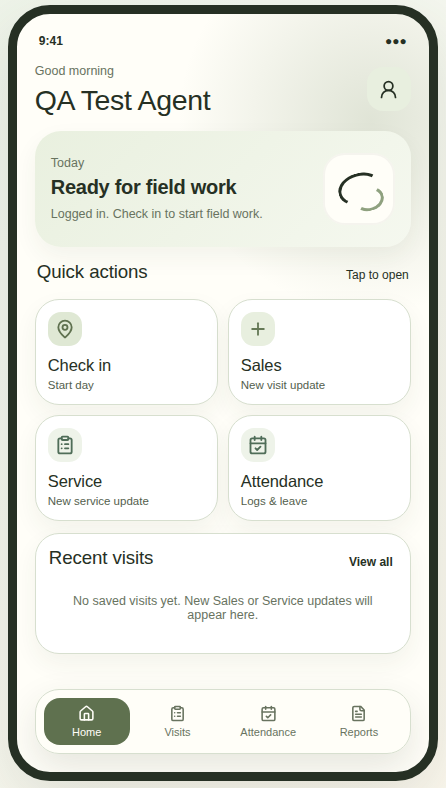
Check in, open Sales or Service, see attendance, return to recent work.
Save the real visit first. Add customer, equipment, quote, proof, and notes later.
See attendance, leave, agent profiles, entries, reports, and follow-ups.
Check-in state, reports, backups, and visible failure points were part of the live-use review.
This is the product logic I kept coming back to while shaping the experience.
Login, check in, location captured.
Sales or Service Step 1 records the real field action.
Customer, equipment, quote, proof, and office notes.
Attendance, leave, follow-ups, reports, and person-wise activity.
Check-in state, reports, backups, access, and reliability checks.
These are the choices that made the product calmer, safer, and easier to hand over.
Daily actions stay visible: Check in, Sales, Service, Leave, My entries, Attendance, Reports.
Quick capture first. Details later, without losing the visit.
Overview, approvals, agents, profiles, and reports each get one clear purpose.
State persistence, reports, access, backups, and clear failures were part of the review criteria.
Agents helped move fast, but logic, UX, hallucinations, and edge cases still needed review.
Storage, monitoring, backups, safer data paths, and hidden debug views came up early.
The carousel keeps one consistent mockup height and removes the repetitive second visit form.
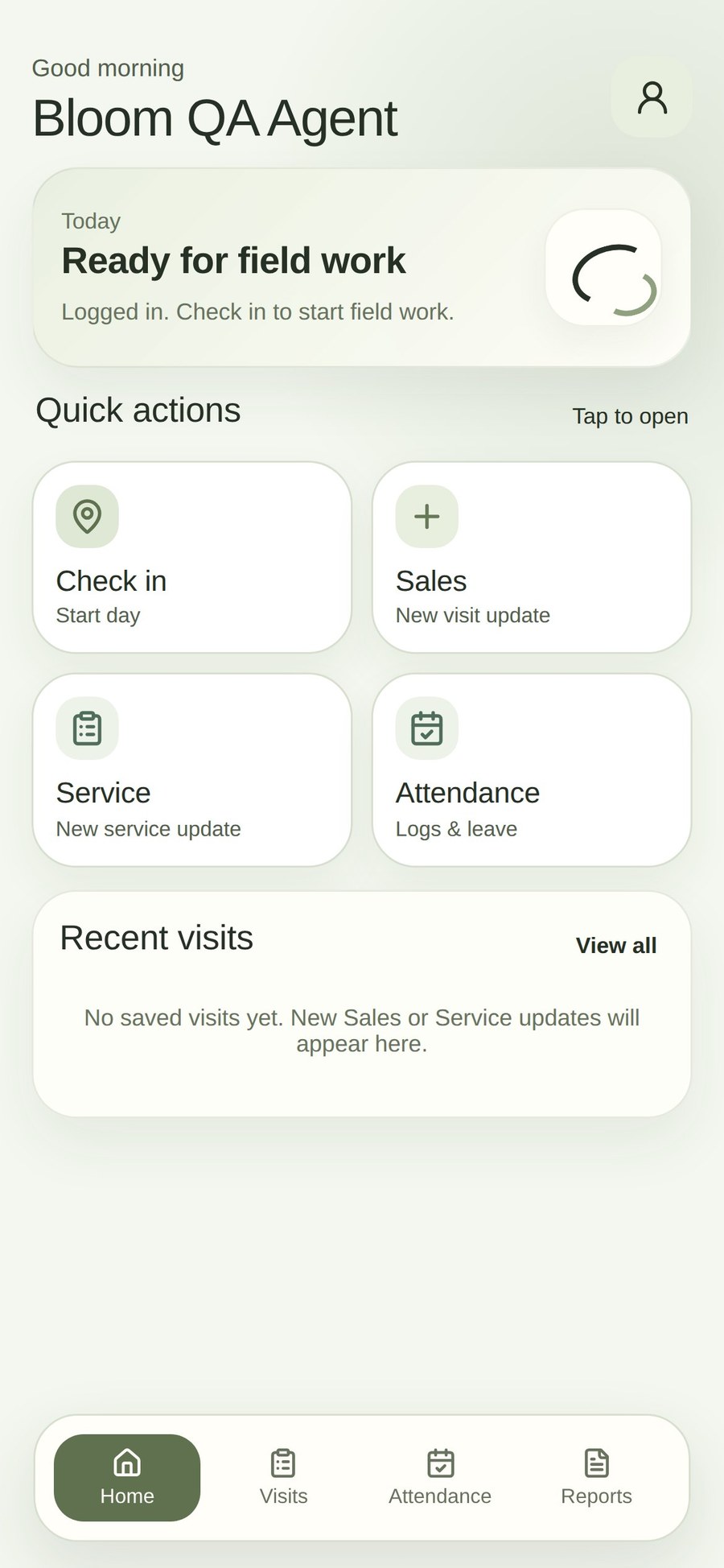
Agent homeQuick actions make the field loop visible immediately.
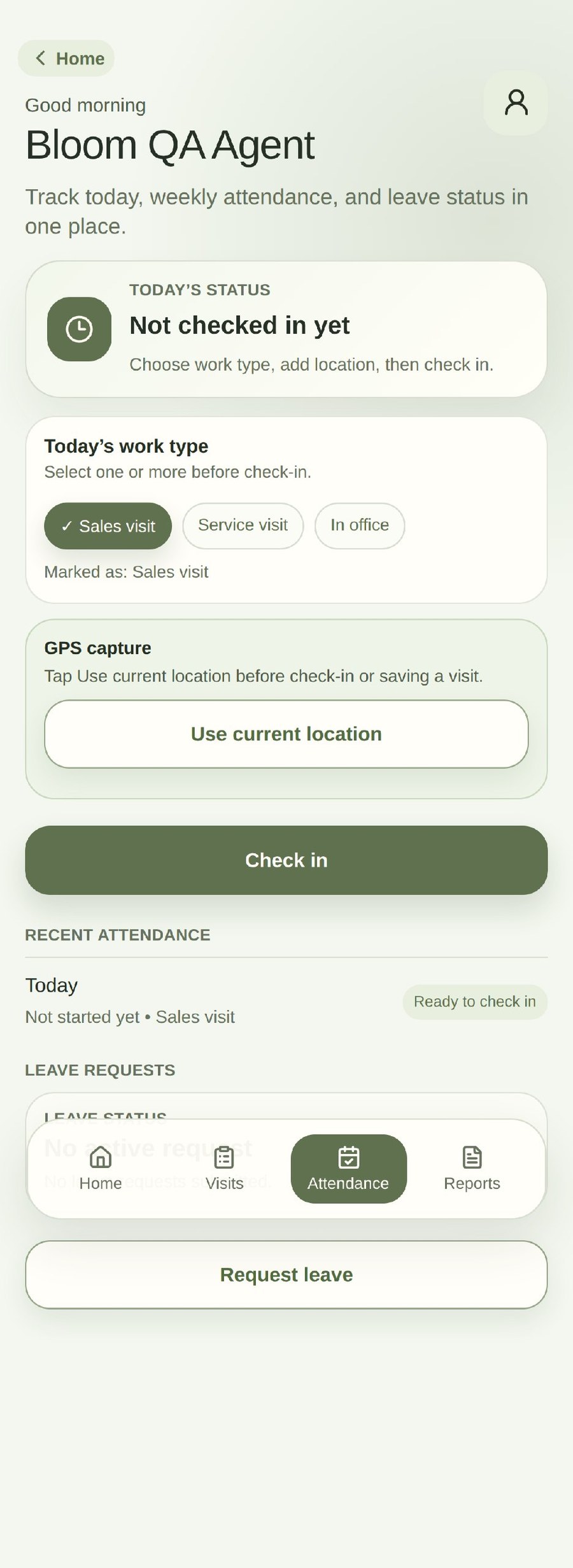
AttendanceWork type, location capture, check-in, history, and leave request stay in one place.
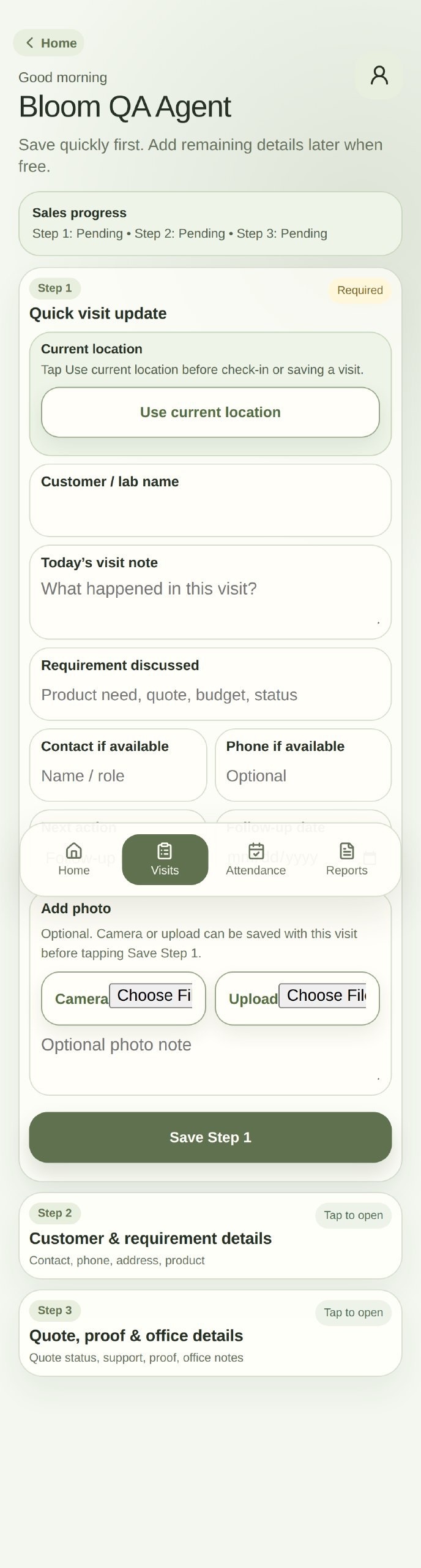
Visit updateOne representative visit form is enough; service follows the same interaction pattern.
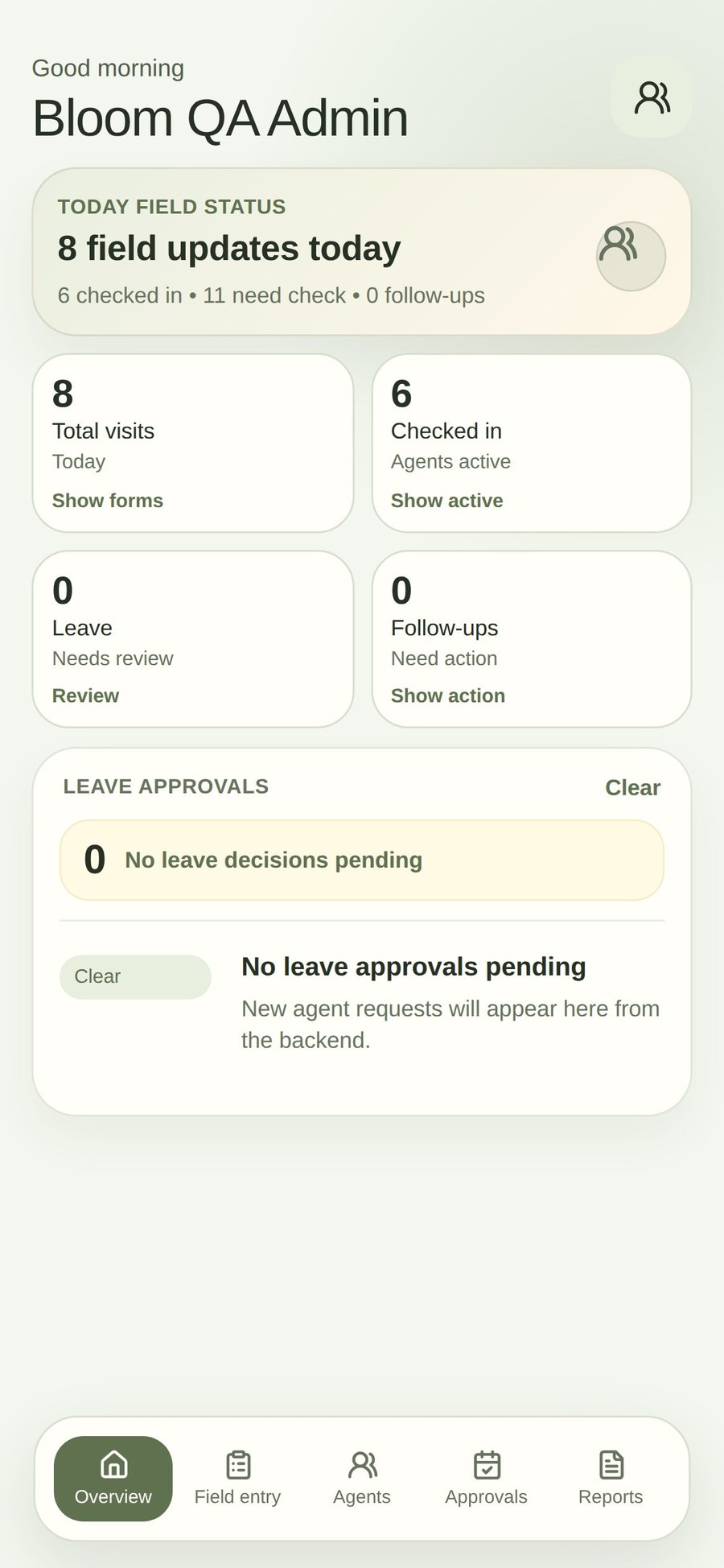
Admin overviewAdmin sees visits, active agents, leave, follow-ups, and review status.
The project turns field and admin requirements into a live client-used workflow with actual screens, defined responsibilities, and explicit quality checks.